" "

Blog

How to Create 3D Render Videos for Global Buyers in 2026?

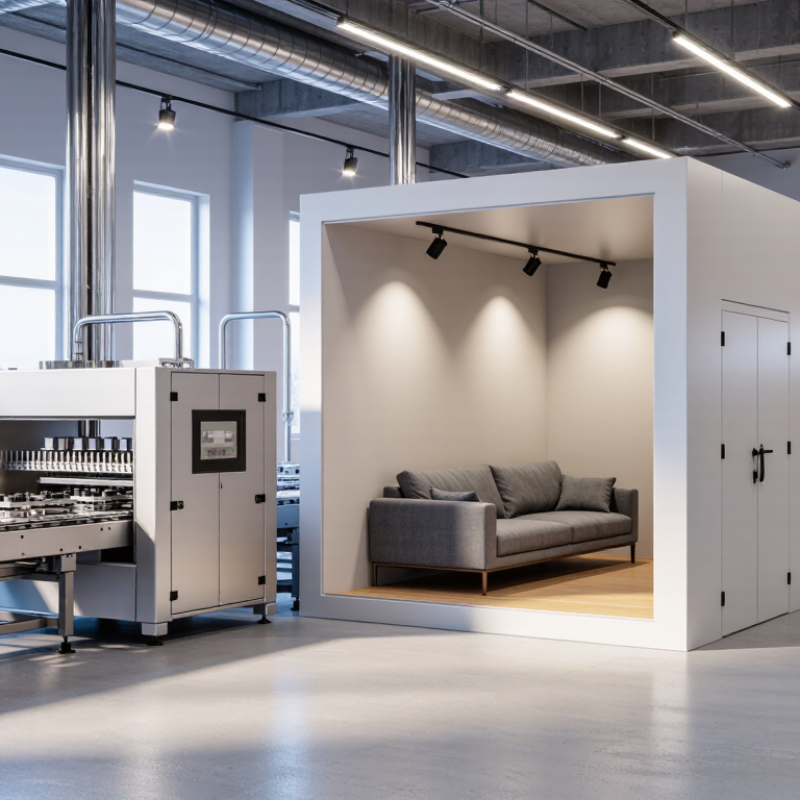
Global buyers will not wait for unclear product explanations in 2026. They want to see scale, movement, materials, and real use cases before requesting a quotation. This is where 3D Render Videos become powerful sales tools. A precise animation can show a machine operating inside a factory, a sofa fitting a small apartment, or lighting changing across a retail display. The details matter. A wrong hinge, unrealistic shadow, or confusing camera angle can reduce trust quickly.

Andrew Price, founder of Blender Guru, has often encouraged creators with a simple principle: “You learn by doing.” That idea fits commercial visualization well. Effective 3D Render Videos improve through testing, customer feedback, and repeated revisions. Experienced teams begin with verified CAD files, technical specifications, buyer personas, and regional preferences. They then build a short storyboard before modeling every polished surface. It saves time. It also exposes weak ideas early.

A global video needs more than attractive rendering. It should use clear measurements, readable captions, accessible contrast, and culturally neutral visuals. Product claims must remain accurate and supportable. Avoid promising performance that testing cannot prove. Show the product honestly. A 20-second factory animation may need English captions, localized subtitles, and a silent-friendly version for social platforms. Yet, perfection is not always realistic. Some reflections may feel slightly artificial, and the first cut may be too slow. That is useful feedback, not failure. This guide explains how to plan, produce, review, and distribute 3D Render Videos that help international buyers understand products with greater confidence.

How to Create 3D Render Videos for Global Buyers in 2026?

What 3D Render Videos Are and Why Global Buyers Need Them

A 3D render video is a digitally built product film. It shows form, scale, materials, movement, and use before physical production begins. For a global buyer, that visual evidence can replace a showroom visit. A camera can orbit a machine, open a cabinet, or reveal hidden assembly points. These details reduce guesswork. The 2024 State of Video Marketing report found that 91% of businesses use video as a marketing tool. That figure reflects a practical shift. Buyers expect information in motion, not only in brochures.

3D render videos also solve distance, language, and sampling problems. Measurements, exploded views, subtitles, and localized voice-over can make one asset useful across markets. A 2024 global market analysis projected the 3D rendering and visualization market to grow at a 22.5% compound annual rate from 2024 to 2030. Yet rendering is not proof of performance. An attractive animation may hide tolerances, shipping limits, or an awkward installation step. In production reviews, buyer questions often expose missing scenes. Show the hand clearance. Show the carton beside a standard pallet. Show what changes between the first sketch and the final specification. That honesty builds stronger trust than flawless but vague imagery.

How to Define Product Goals, Audiences, and International Use Cases

How to Create 3D Render Videos for Global Buyers in 2026?

Creating a 3D render video for global buyers starts with a product decision, not a camera move. Define the commercial goal in one sentence: explain assembly, prove scale, or reduce support questions. Then choose one measurable signal, such as qualified inquiries or quote requests. Do not chase views alone. The 2024 State of Video Marketing report found that 91% of businesses use video, while 88% of marketers report positive return on investment. These figures support video, but they do not replace a clear buyer task.

Segment audiences by job, not geography alone. A distributor may need packaging dimensions and pallet loading. An engineer may need tolerances, materials, and connection details. A purchasing manager may need lead-time information and a clear comparison view. CSA Research’s Can’t Read, Won’t Buy study found that 76% of online consumers prefer product information in their own language. It also reported that 40% would not buy from websites using other languages. Plan subtitles, labels, units, and voiceovers for each market.

Build separate use cases into the storyboard. Show a compact machine inside a warehouse, then demonstrate installation beside a familiar worker. Keep measurements visible. Use millimeters and inches when necessary. My first storyboard often tries to show everything. That is a mistake. A focused 45-second sequence usually communicates better than a crowded product tour. Test the render with a real distributor before publishing. Feedback may expose missing details, unclear scale, or assumptions your team never noticed.

How to Build Accurate 3D Models, Materials, and Product Environments

Creating 3D render videos for global buyers starts with accurate product models. Measure every visible surface, including bevels, seams, holes, and small gaps. Use real product dimensions whenever possible. A tiny error can make a package look oversized on screen.

Build the model with clean topology and consistent scale. Keep separate parts organized for easier revisions. Materials should reflect physical behavior, not just color. Set metalness, roughness, transparency, and surface texture carefully. A glossy coating needs controlled reflections. Fabric needs softer highlights and visible fiber variation. I once approved a render that looked attractive but showed a plastic surface as brushed metal. It was a useful mistake. Visual appeal cannot replace material accuracy.

Tips: Use a neutral reference object beside the product during testing. Check the model under daylight, indoor light, and soft studio lighting. Create product environments that support scale and function, such as a kitchen counter, workshop shelf, or office desk. Keep backgrounds simple enough for international viewers. Avoid cultural assumptions that may confuse buyers. Add close-up shots for controls, edges, and moving parts. Render short test clips before producing the full video. Review them on both large screens and mobile devices. Some details disappear on smaller displays. Reflect on that before final delivery.

How to Create 3D Render Videos for Global Buyers in 2026? - How to Build Accurate 3D Models, Materials, and Product Environments

A practical production reference for creating accurate, localized, and performance-ready product visualization videos for international buyers.

Production Dimension Recommended 2026 Specification Why It Matters for Global Buyers Quality-Control Check
Product Measurement Basis Use millimeters for manufactured products and maintain a 1:1 real-world scale. Accurate scale supports buyer evaluation, packaging planning, installation checks, and technical communication across markets. Compare the model against at least three verified dimensions from engineering drawings or a calibrated measurement set.
3D Asset Format Use glTF 2.0 or GLB for interactive delivery; retain the original production format for editing. glTF 2.0 is an established royalty-free format designed for efficient transmission and loading of 3D scenes. Open the exported asset in more than one compliant viewer and confirm geometry, materials, textures, and animations.
Model Topology Use clean, watertight geometry for the product shell; use bevels on important edges and avoid unnecessary hidden detail. Correct edge behavior creates believable highlights and reduces visual ambiguity in close-up product shots. Inspect non-manifold edges, flipped normals, duplicate faces, shading artifacts, and visible intersections.
Polygon Strategy Create a high-detail master model and optimized render versions; allocate polygons according to camera distance. A tiered asset structure preserves close-up quality while keeping previews, web viewers, and mobile playback responsive. Test the optimized version at the intended delivery resolution instead of judging only in the modeling viewport.
Material Workflow Use a physically based metallic-roughness workflow with measured or manufacturer-approved surface references. Consistent material behavior improves comparison between finishes and reduces misleading reflections or color shifts. Check base color, metallic, roughness, normal, and ambient-occlusion inputs under neutral lighting.
Color Management Work in a color-managed pipeline; treat sRGB color textures as color data and use linear interpretation for physical calculations. Correct color transforms reduce differences between the working scene, rendered video, web preview, and buyer display. Review the final export on calibrated or consistently profiled displays and verify the selected delivery color space.
Texture Resolution Use 2K textures for most product surfaces and 4K only where close-up detail or fine printed graphics require it. Resolution should follow the final camera framing; excessive texture size increases memory and loading costs without improving distant shots. Check the smallest visible label, seam, grain, or pattern at the final output size.
Texture Compression Use loss-controlled source textures for final offline rendering and GPU-friendly compressed textures for interactive previews. Different delivery environments have different memory and bandwidth limits, especially on mobile and international networks. Compare compressed previews against the source texture for blocking, ringing, banding, and text legibility.
Lighting Environment Build a neutral studio setup with a large key source, controlled fill, rim or separation light, and optional HDR environment lighting. Neutral lighting reveals form and finish without implying a specific regional climate, showroom, or retail context. Confirm that silhouettes, reflective edges, dark cavities, and surface transitions remain readable.
Product Environment Use physically plausible floor contact, scale references, soft shadows, and environment props that do not compete with the product. Context helps buyers understand placement and use while preserving a clear focus on the product itself. Check contact shadows, object scale, horizon alignment, reflections, and whether props could be mistaken for included accessories.
Camera and Composition Use a consistent lens language, controlled perspective, and deliberate views for overview, detail, operation, and dimensions. Consistent camera logic makes product comparisons easier and reduces the risk of exaggerated proportions. Avoid extreme wide-angle distortion unless the purpose is to demonstrate a real installation viewpoint.
Animation Frame Rate Use 24 or 30 frames per second for standard product videos; use 60 frames per second for smooth motion demonstrations when required. These are widely used delivery rates, while the correct choice depends on the target platform and the motion being shown. Maintain one frame rate throughout the production and verify motion cadence after encoding.
Video Resolution and Aspect Ratio Prepare a primary 16:9 master, commonly at 3840 × 2160 or 1920 × 1080, and create vertical or square variants when needed. Multiple aspect ratios support websites, presentations, marketplaces, social platforms, and mobile-first buyer journeys. Keep the product, labels, and safety margins inside the crop-safe area for every intended version.
Encoding and Delivery Use a high-quality master plus an H.264 or H.265 delivery version according to the receiving platform’s requirements. A master preserves editing flexibility, while a compressed delivery file improves transfer and playback compatibility. Test playback on desktop and mobile devices and check for banding, blocking, audio sync, and unreadable fine detail.
Animation Structure Organize the story into a 5-part sequence: hero reveal, construction or material detail, operation, application context, and specification summary. This structure connects emotional presentation with the technical information needed for an international purchase decision. Ensure every animation communicates a verified product function and does not imply unsupported performance.
Technical Annotations Show dimensions, compatible configurations, included components, certifications, and operating limits only when verified. Precise annotations reduce misunderstandings caused by language differences and varying regional expectations. Match every on-screen number and claim with an approved technical source before publication.
Localization Create editable text layers and separate subtitle files; localize units, decimal conventions, terminology, and reading direction where applicable. Localized information improves comprehension without requiring a new 3D render for every market. Have a native or qualified market reviewer check translated terminology and unit conversion.
Accessibility Provide captions or subtitles, strong text contrast, readable type sizes, and a version that does not rely on color alone. Accessible video communication supports broader audiences and improves usability in sound-off viewing environments. Review captions for timing, contrast, line length, and accuracy against the spoken or on-screen information.
Data and Version Control Track model revision, material revision, approved dimensions, camera version, language, output format, and review status. Clear revision history prevents outdated geometry or specifications from reaching global buyers. Use a release checklist and retain the approved source scene, final render, subtitles, and technical references.
Performance Validation Measure load time, frame stability, memory use, and visual quality separately for offline video and interactive 3D delivery. Buyers may view the same asset on different devices, browsers, networks, and display sizes. Test on representative desktop, mobile, and lower-bandwidth conditions before publishing.

How to Create Clear Animations for Buyers Across Languages and Cultures

How to Create 3D Render Videos for Global Buyers in 2026?

How to Create Clear Animations for Buyers Across Languages and Cultures

A clear 3D render should explain one action at a time. Show the product opening, rotating, folding, or connecting. Use close-up shots for hinges, seams, controls, and material textures. Keep each scene between three and seven seconds. Buyers should understand the function without reading a paragraph.

I create visual guides with neutral colors, simple icons, and steady camera movement. Avoid gestures, symbols, or jokes that may confuse different cultures. A red warning sign can carry different meanings across markets. Test the animation with viewers who speak different languages. Ask them to describe what they saw. Their answers reveal unclear motion quickly.

Text still matters. Use short labels, familiar measurements, and professional translations. Do not place important instructions only inside small captions. Keep subtitles away from the product details. Voiceovers can help, but they should not carry essential information alone. Some buyers watch with sound disabled.

My early renders looked attractive but explained too little. The camera moved too quickly. That mistake taught me to prioritize understanding over decoration.

A remaining weakness is cultural testing time. It often receives less attention than lighting and modeling. Still, a ten-second review can expose confusing colors, gestures, or assumptions before publication. Include real dimensions, transparent material behavior, and realistic assembly steps. Trust grows when the animation matches the product.

How to Export, Localize, Test, and Distribute 3D Render Videos Globally

A global 3D render video starts with a reliable export plan, not flashy effects. I export a clean master in 4K, then create smaller versions for mobile and slower networks. The render should show material texture, scale, assembly, and real product movement clearly. I keep lighting consistent across every shot. Otherwise, metal may look like plastic. Audio levels, frame rates, captions, and file names need documented checks. One missed setting can damage an otherwise accurate presentation.

Localization requires more than translating captions. I adapt measurements, currencies, dates, voiceovers, and on-screen labels for each buyer group. A short sentence may become much longer in another language. That can cover a product detail or break the timing. I leave safe space around text and ask a qualified native reviewer to check technical terms. I also avoid gestures and claims that may confuse viewers across cultures. My process is not perfect. Some visual metaphors still need local feedback.

Testing happens on real devices, not only editing monitors. I review the video on phones, tablets, desktop screens, and basic headphones. I check subtitle timing, loading speed, color contrast, and visible details at smaller sizes. Small buyer panels can reveal unclear angles or missing information. Distribution should match viewing habits and sales channels, while preserving the same approved master. I track completion rates, replay points, inquiries, and regional performance. Low engagement may indicate weak storytelling, but it may also reflect poor delivery. That distinction deserves careful testing.